

The loan page
One loan, one page, the whole story.
When a loan officer is out — or leaves — the history is still in the file: what was disclosed and signed, what the borrower was sent and texted, what the team said about it, and how healthy the loan is right now.
The top of the loan page
Health at a glance — with the reasons.
Every loan carries a health pill: On Track, Needs Attention or Action Required. It is worked out from what the loan already knows each time the page loads, so there is nothing to keep up to date and nothing to dismiss. Click it and it says exactly why.
- Scored out of 100 — the lock, eConsent, signing deadlines, requests left pending, a closing date already passed.
- Links out to the loan in LendingPad, and to the investor’s or agency’s site where they apply.


Disclosures and signing
Every disclosure, its deadline, and who has signed.
The loan officer requests a disclosure from the loan. The page then follows it through the desk and out for signature — the deadline, each signer’s progress, and when it completed.
- New Disclosure from the loan’s Actions menu, with what changed and why.
- Send signing link emails a borrower their link again, from the loan officer, in your company’s brand.
What the borrower was sent
In your brand, from your loan officer, on the record.
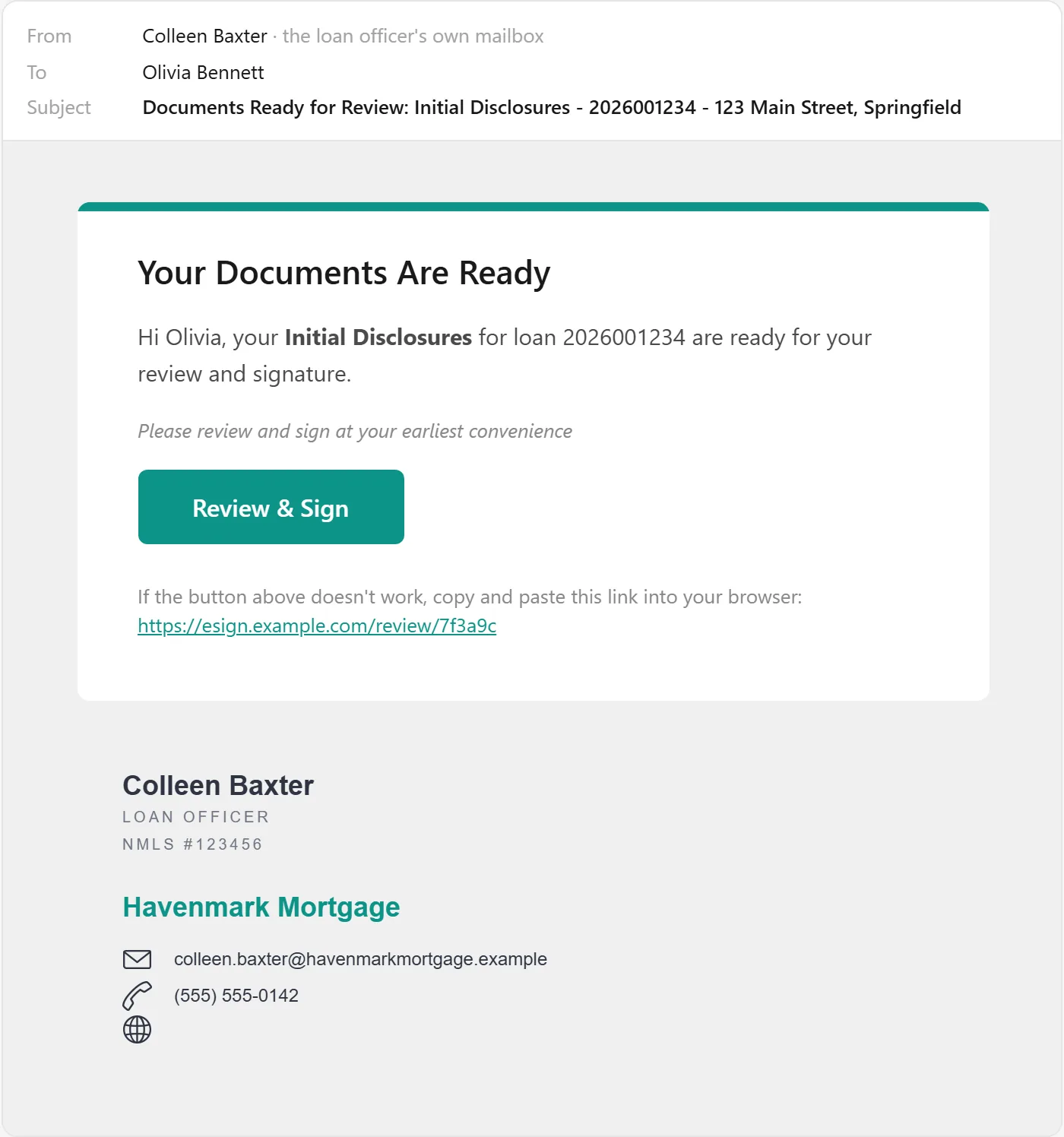
A signing link goes out from the loan officer’s own mailbox, in your company’s colors with their signature. Every email sent to a borrower is logged on the loan — when it went, whether it was delivered and opened — so “did they get it?” has an answer.
Texts with the borrower
The texts are in the file too.
Borrowers text the loan officer’s business number, and the conversation lives on the loan — so the processor answering a question sees everything the loan officer already said. Each text shows who on the team sent it and whether it was delivered.
- Consent on record, with who recorded it and when — and STOP honored automatically.
- New Texts under the loan’s header when something is unread.
Notes
The team’s conversation lives on the loan.
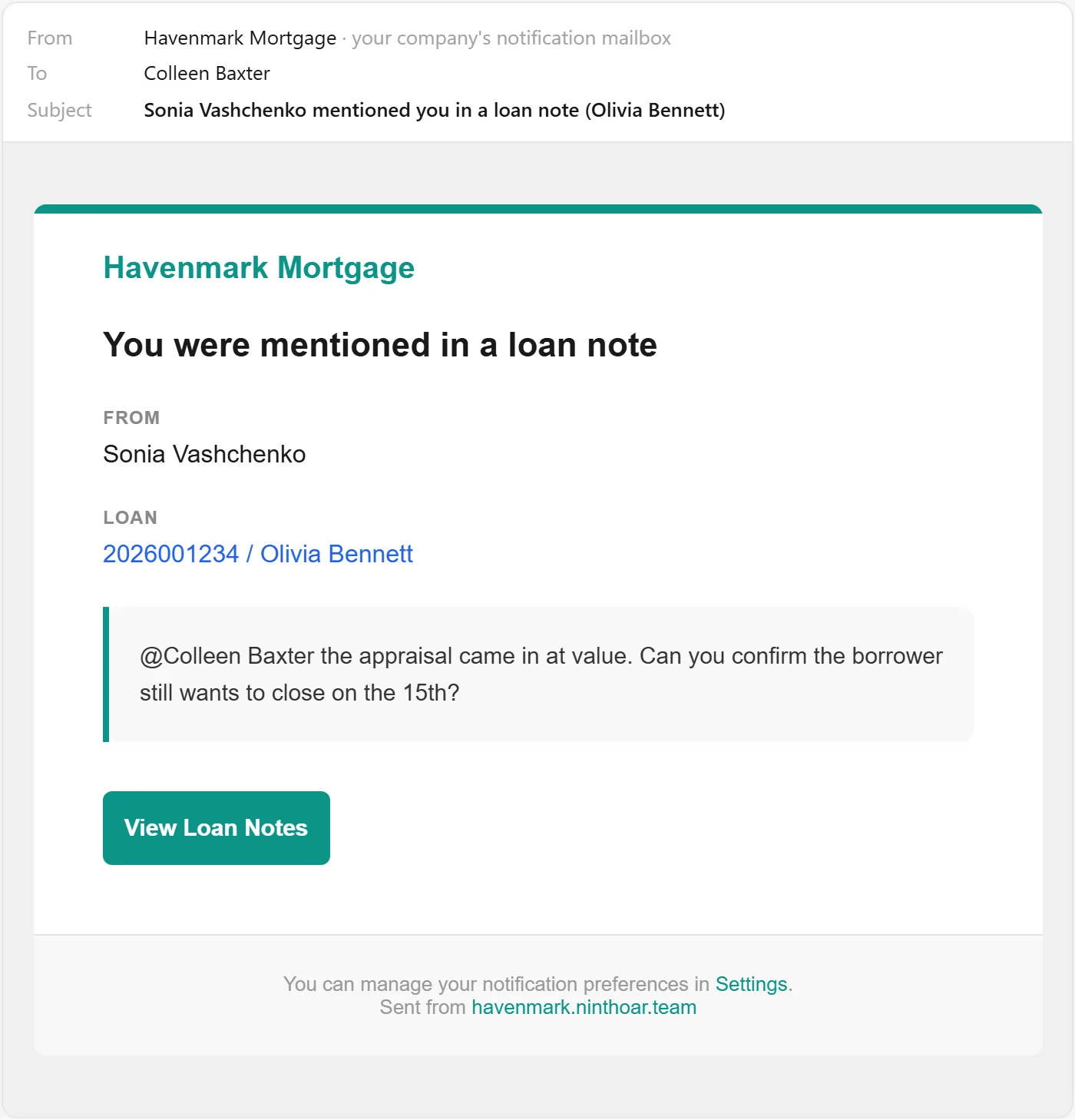
Notes are a running thread on the loan, not a chain of forwarded emails. @mention someone and they get a pop-up and an email that links straight to the note. Switch the panel to Activity and the same thread includes every status change, disclosure and milestone — including changes to key dates as they arrive from the LOS.
- Unread counts on every loan in the pipeline, with an @ badge when someone mentioned you.
- System alerts in the thread — when the team was emailed about a problem, the alert sits in the notes so the reply can say who is handling it.
Also on the loan page
The rest of the file, without leaving it.
Conditions, as your LOS groups them
Prior to closing, prior to purchase, at closing — each group with its pending and cleared counts, pending first. Fetched from your LOS when you open the loan, and refreshed in the background when they are more than a few minutes old.
Questions
About the loan page
Does anything on the loan page write back to our LOS?
No. Loan data comes from your LOS and is changed there. Notes, disclosure requests, closing steps and holds live in NinthOar and never write back, so your LOS stays the system of record.
Does the loan page work with LendingPad?
Yes. It shows the loan as LendingPad last sent it — status, dates, team, lock and conditions — beside what only NinthOar keeps, and links back to the file in LendingPad. How the LendingPad integration works.
Who can read a loan’s notes?
Anyone who can open the loan, and the desks that work it. An @mention reaches the person by pop-up and email, with a link to the note. Your company can choose which roles read other people’s notes.
How is the health score worked out?
Every loan starts at 100 and loses points for each problem it has — an expired or expiring lock, eConsent overdue or declined, a closing disclosure past its signing deadline, requests left pending, a closing date already passed. Above 75 is on track; below 50 needs action. Click it and it lists exactly what took the points.
Are conditions editable here?
Conditions are added and cleared in your LOS. The loan page shows them grouped the way your LOS groups them, pending first, and refreshes them in the background when they are more than a few minutes old.
Keep going
The rest of the day, covered.
Borrower texting
Borrowers text the loan, not someone’s cell phone. The whole team sees the thread, consent is on record, and STOP is honored automatically.
Learn moreNeeds Attention
Locks about to expire, disclosures due, closings on hold and credit about to lapse — with a name on each — before anyone has to ask.
Learn moreClosings
A closing calendar the whole team works from, with each closing’s checklist, holds that alert everyone, and a check against what changed since approval.
Learn moreEarly access
Opening to new lenders soon.
NinthOar is in daily use at a lender today. Tell us about your shop, and we’ll reach out as soon as we can take you on.