

The side panel
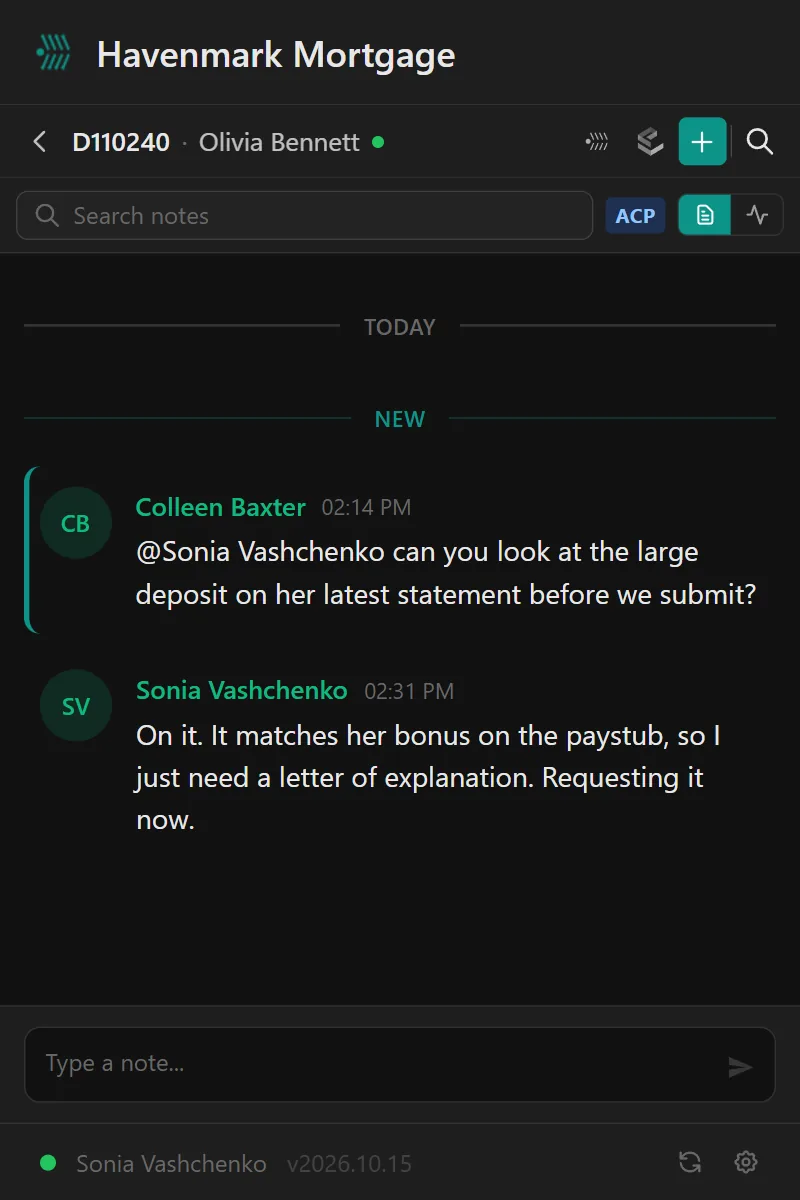
The loan’s notes and alerts, right beside the loan.
Software fails when nobody opens it. The NinthOar side panel opens beside LendingPad and follows the loan on screen — so a processor reads that file’s notes, answers the borrower’s text and sees what’s at risk, without a second login or a second tab.
Where your team already is
It follows the loan you have open.
Open a loan in LendingPad and the panel turns to it: its notes, its texts, its investor’s portal, and a way back to everything NinthOar knows about it. Switch tabs and it switches loans.
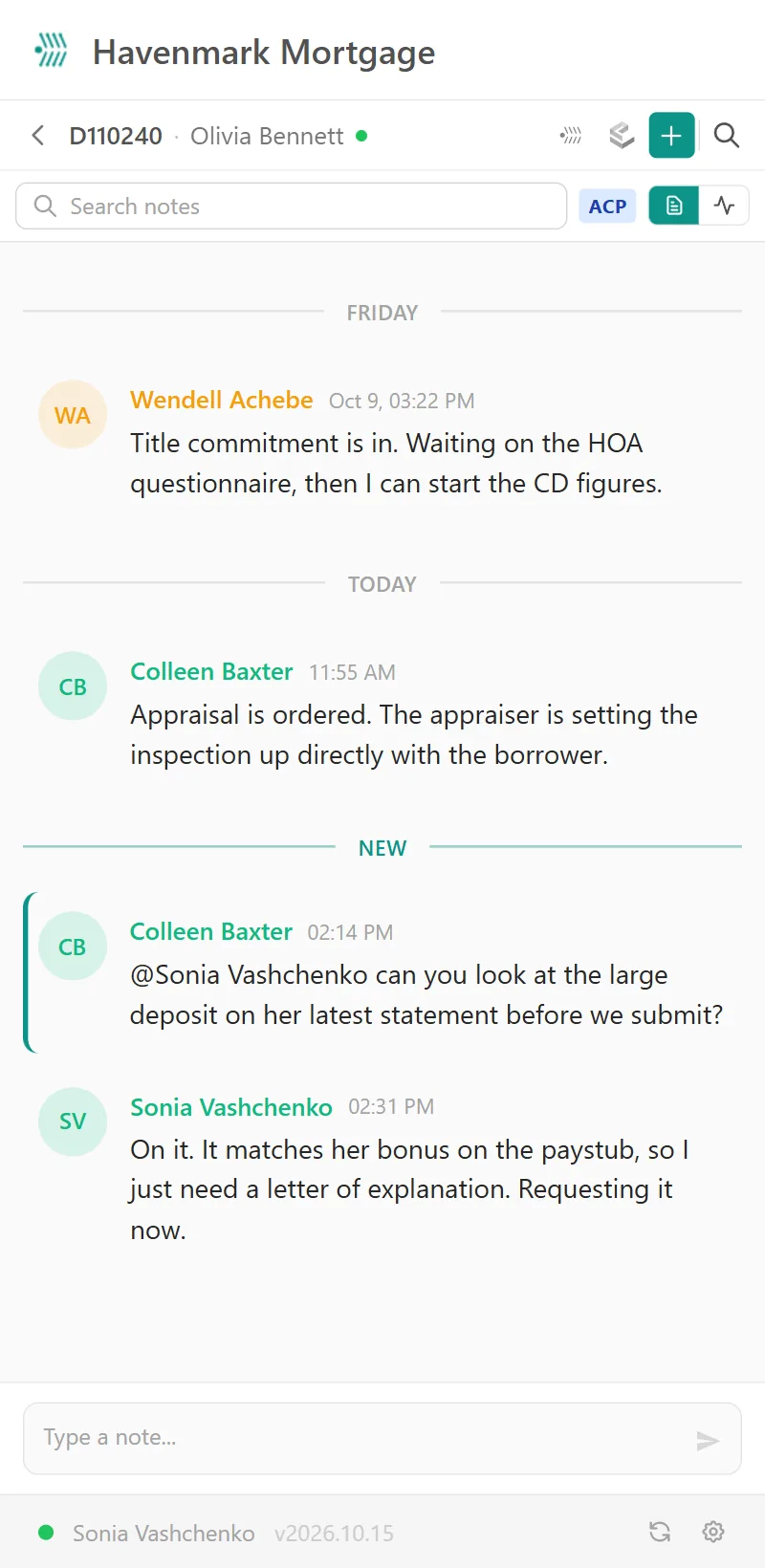
- Write the note where you are. @mention the processor from inside the file; they get the pop-up and the email.
- Start the next step — a disclosure request, a text, a submission to setup — and NinthOar opens the loan right at it.
- Live. A new note or text appears as it’s sent, and the toolbar badge counts what’s new.
Up close
Three things it does all day.
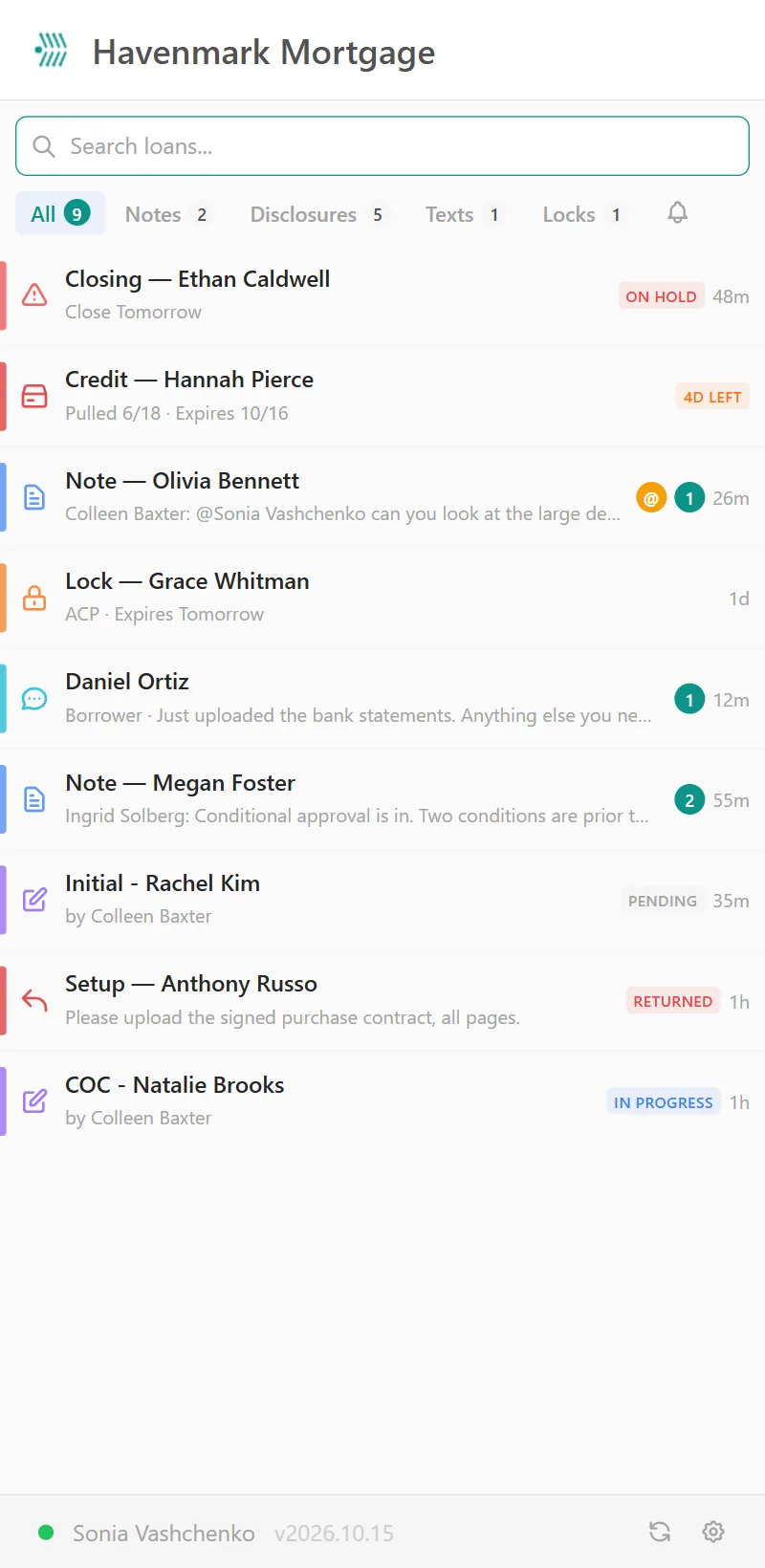
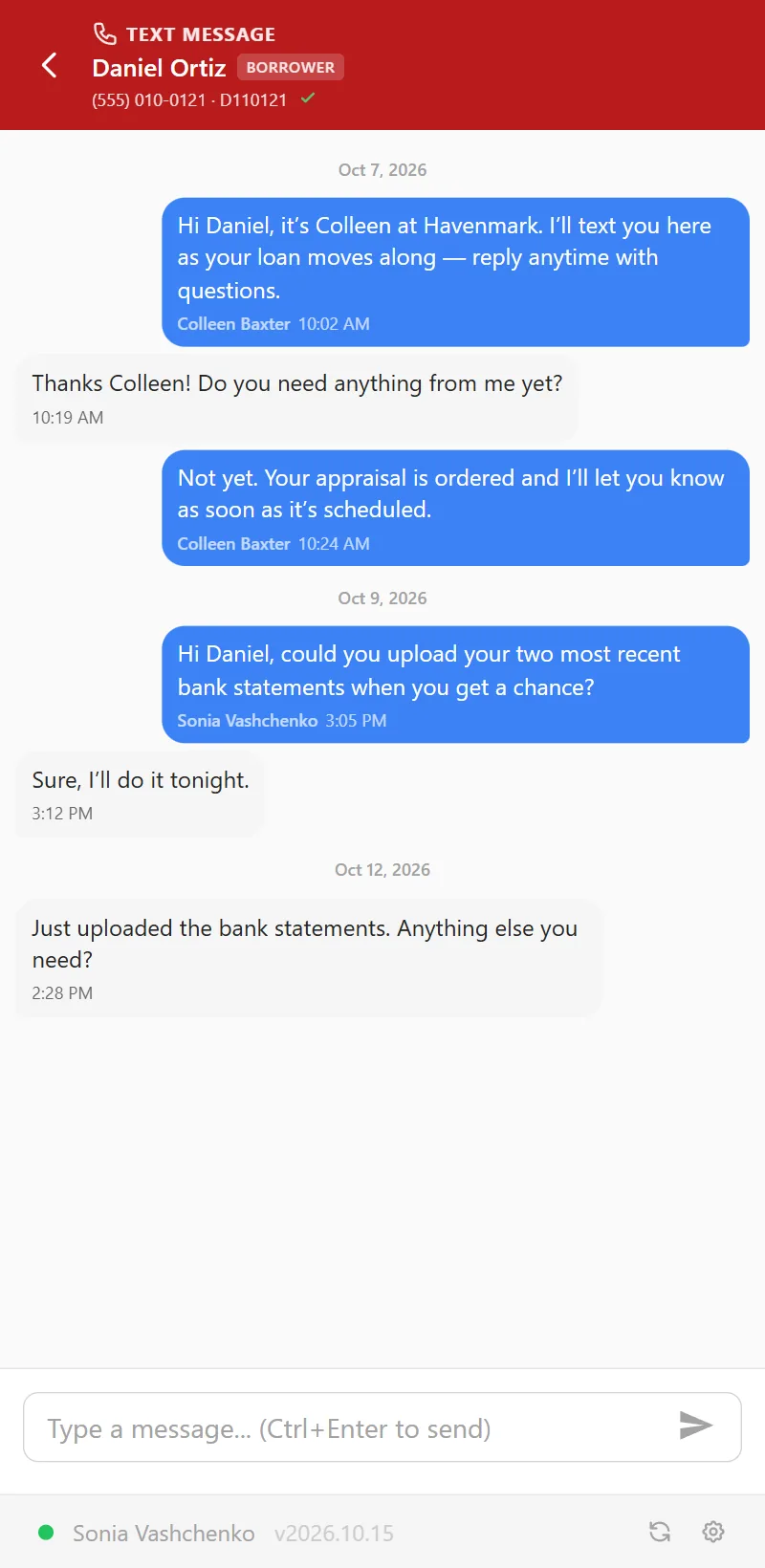
The real panel, built and running in Chrome, with a made-up lender’s data.
Each person’s way
Open it the way you work.
Side panel, pop-up or drawer
Docked beside the page for a big screen, a pop-up from the toolbar for a quick look, or a drawer over the LendingPad page. Each person chooses in their settings.
A badge that counts what matters
Notes, @mentions, disclosure and lock requests, borrower texts — each person picks what the toolbar badge counts.
Your permissions, not new ones
The panel asks your NinthOar instance, so it shows exactly the loans and lists the browser tab does. Alt+Shift+A opens it from anywhere in Chrome.
Questions
About the side panel
Do we have to install anything?
Only for the side panel: it’s a Chrome extension. Each person adds it once and connects it to your company’s NinthOar address; after that it uses their NinthOar sign-in in that browser. Everything else in NinthOar runs in the browser with nothing to install.
How does it know which loan I’m on?
From the address of the LendingPad page you have open — nothing to type or pick. Switch to another loan’s tab and the panel follows; with several loans open, it lists them so you can jump between them.
Does it change anything in LendingPad?
No. It reads the page to find the loan and shows NinthOar beside it. Notes, texts and requests made from the panel live in NinthOar; LendingPad stays the system of record. How the LendingPad integration works.
Does everyone see the same thing?
Everyone sees what NinthOar already lets them see. The panel asks your NinthOar instance — the same permissions, the same loans, the same lists as the browser tab.
LendingPad and Chrome are trademarks of their owners. NinthOar is independent and not affiliated with or endorsed by LendingPad. See our terms of use.
Keep going
The rest of the day, covered.
Borrower texting
Borrowers text the loan, not someone’s cell phone. The whole team sees the thread, consent is on record, and STOP is honored automatically.
Learn moreNeeds Attention
Locks about to expire, disclosures due, closings on hold and credit about to lapse — with a name on each — before anyone has to ask.
Learn moreThe loan page
Everything about one loan on one screen: health, milestones, disclosures and who has signed, notes with @mentions, and what the borrower was sent.
Learn moreEarly access
Running LendingPad? See NinthOar beside it.
NinthOar is in daily use at a lender today. Tell us about your shop, and we’ll reach out as soon as we can take you on.