

Needs Attention
Know what’s at risk today — and whose it is.
Not a report someone runs. The first thing your team sees each morning is what’s wrong right now — locks that won’t make it to funding, disclosures due, closings on hold, credit about to lapse — with a name next to each, before anyone has to ask.
The Needs Attention list
Most urgent first. Nothing to dismiss.
Overdue and due-today items rise to the top. Each row says what it is, whose loan it is, and how close it is to its deadline. An item leaves the list when the problem is fixed — not when someone clicks it away.
- Filter by kind — disclosures, locks, notes, texts, holds, setup returns — from the menu at the top.
- Open the detail in place. Click a lock to see why it is flagged; click a disclosure to see who has signed.
- Live. The list updates while it is open, as loans change in your LOS.


What it catches
The things that cost a closing date, caught days early.
Locks that won’t make it
Lock Expiring inside your alert window, and Delivery Risk when the lock expires before the loan’s estimated funding date — including a refinance’s rescission days. A lock request waiting on the desk shows too.
Disclosures against the clock
Each request is tracked to signature with its own countdown — Sign Today, 3D to Sign, Signing Overdue — plus eConsent windows on initial disclosures and sign-by dates on a change of circumstance.
Closings on hold
A hold goes to the top of everyone’s list on that loan with its reason, and stays until the desk releases it.
Credit that expires before closing
The real expiration, worked out from when the report was pulled — and a warning while there is still time to re-pull, not the day of closing.
Figures that changed after balancing
When a closing’s numbers move after it was balanced or the package went out, the desk is told what changed, and confirms it.
Notes, texts and returned files
Unread notes, with an @ badge when someone mentioned you. A borrower’s unread text, or a borrower who texted STOP. A file setup sent back, with the reason.
Credit report expiration
The date the report really expires.
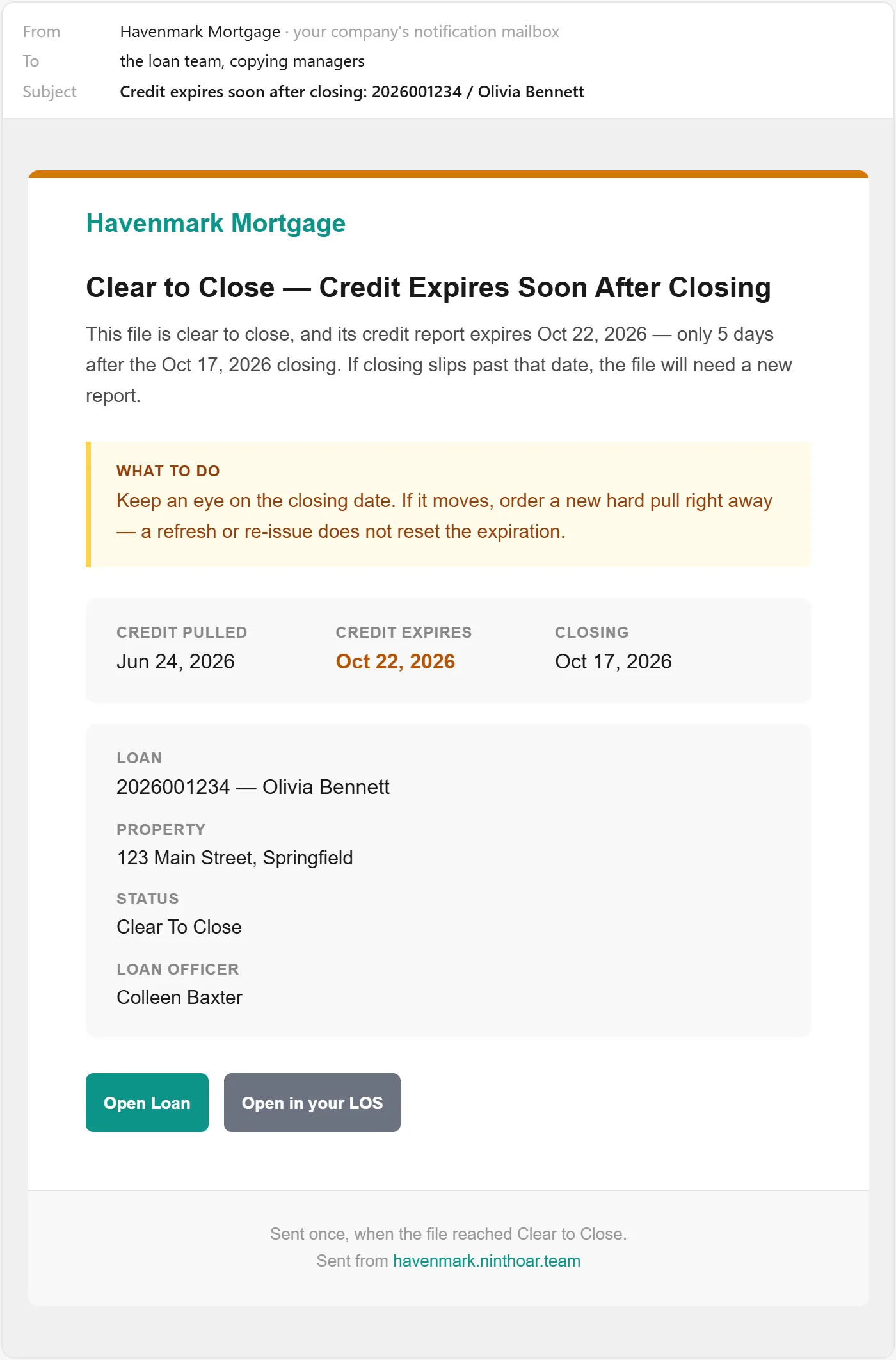
Your LOS shows a refresh date. What matters is when the report was pulled. NinthOar counts from the pull, compares it to the closing date, and warns the team while a new pull is still a formality.
- On the list, with days left — and the loan officer’s initials beside it.
- An email when closing moves past the expiration, or a file reaches clear to close with credit expiring days after it.
Closing holds
When a closing stops, everyone hears.
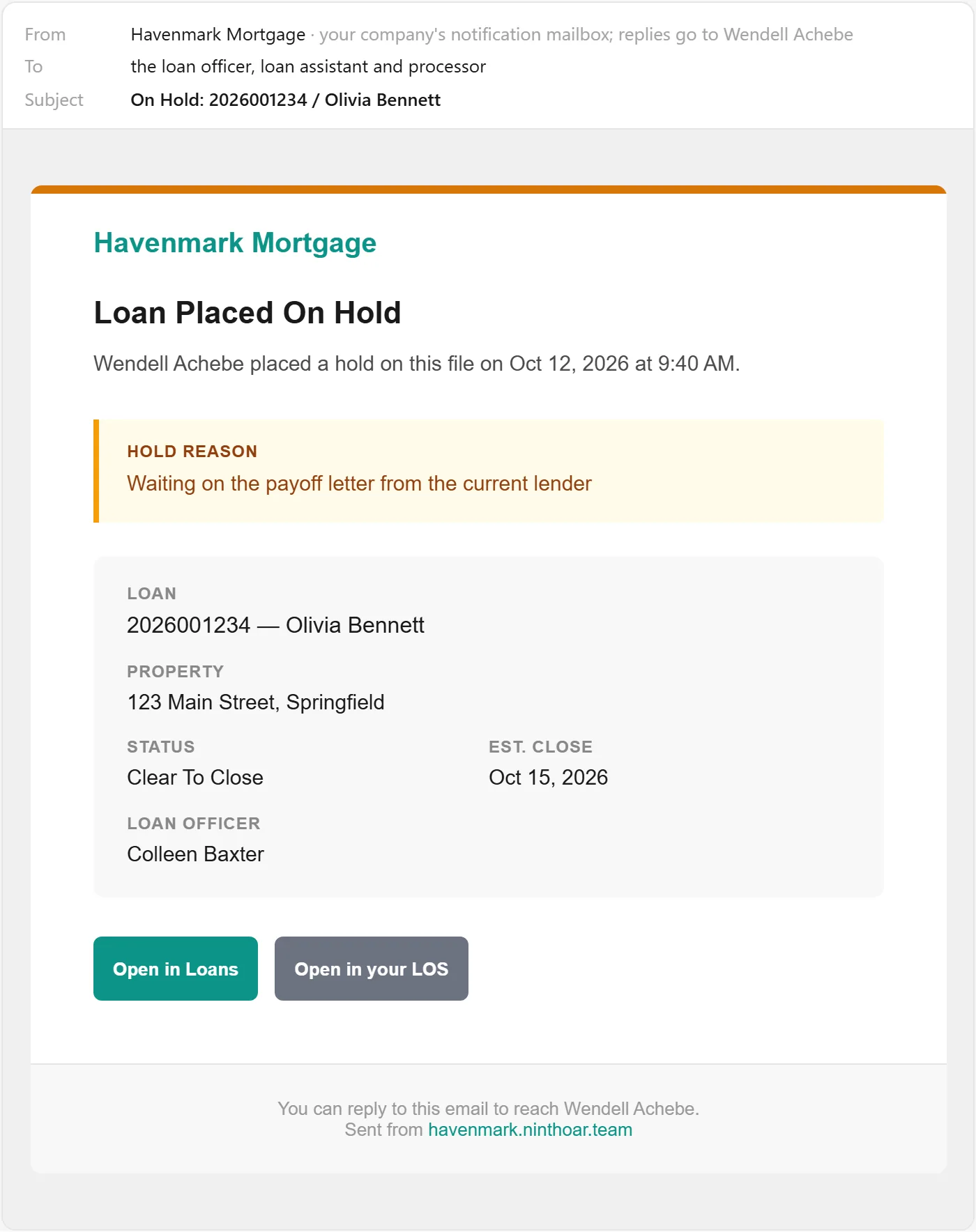
The desk puts a closing on hold with a reason. The loan officer, assistant and processor get an email right away, the hold tops their lists, and it shows on the calendar and the loan until it is released.
For managers
Files likely to miss their date, before the date.
The management view looks a level up: how many purchases are on pace to miss their closing date and how many refinances to outrun their lock, judged from how long each stage is really taking — not a red dot that appears the day it’s already late.

Questions
About Needs Attention
How does a loan get onto Needs Attention?
On its own. As your loans change in the LOS, NinthOar checks each one against what should be true by now — the lock outlasts the funding date, the closing disclosure is signed in time, the credit report covers the closing — and lists what isn’t, for the people on that loan.
Does Needs Attention work with LendingPad?
Yes. It is worked out from each loan as LendingPad sends it: when a lock, a funding date or a closing date moves in LendingPad, the loan is checked again, usually within a few minutes. How the LendingPad integration works.
Can someone dismiss an item without fixing it?
No. There is no dismiss button. An item leaves the list when the thing it is about is taken care of: the lock is extended, the borrowers sign, the hold is released, the notes are read.
Who sees which items?
The people on the loan — loan officer, processor, assistant, closer — and managers whose lists show the whole company. Your company chooses which roles receive which kinds of item.
Do we have to refresh it?
No. The list updates by itself as things change, while it is open.
Keep going
The rest of the day, covered.
Work queues
One list per desk — disclosures, locks, file setup, closings — sorted by deadline, claimed by a person, and nothing waiting in an inbox.
Learn moreClosings
A closing calendar the whole team works from, with each closing’s checklist, holds that alert everyone, and a check against what changed since approval.
Learn moreThe loan page
Everything about one loan on one screen: health, milestones, disclosures and who has signed, notes with @mentions, and what the borrower was sent.
Learn moreEarly access
Opening to new lenders soon.
NinthOar is in daily use at a lender today. Tell us about your shop, and we’ll reach out as soon as we can take you on.